Cut the noise,
let the voice through.
Real-time while recording, or re-process saved files later. Pick a strength to match the room — natural, balanced, or focused.
At a glanceOriginal kept untouched,
Original kept untouched,
new file kept clean.
Real-time mode attenuates noise on the fly while recording (MP3 · WAV) and saves a clean file directly.
Already-saved files can be polished anytime from the player — those runs save a new copy and keep the original untouched, so you can fall back to it if the result isn't what you wanted.
Already-saved files can be polished anytime from the player — those runs save a new copy and keep the original untouched, so you can fall back to it if the result isn't what you wanted.
How to use
Two ways to apply it.
01
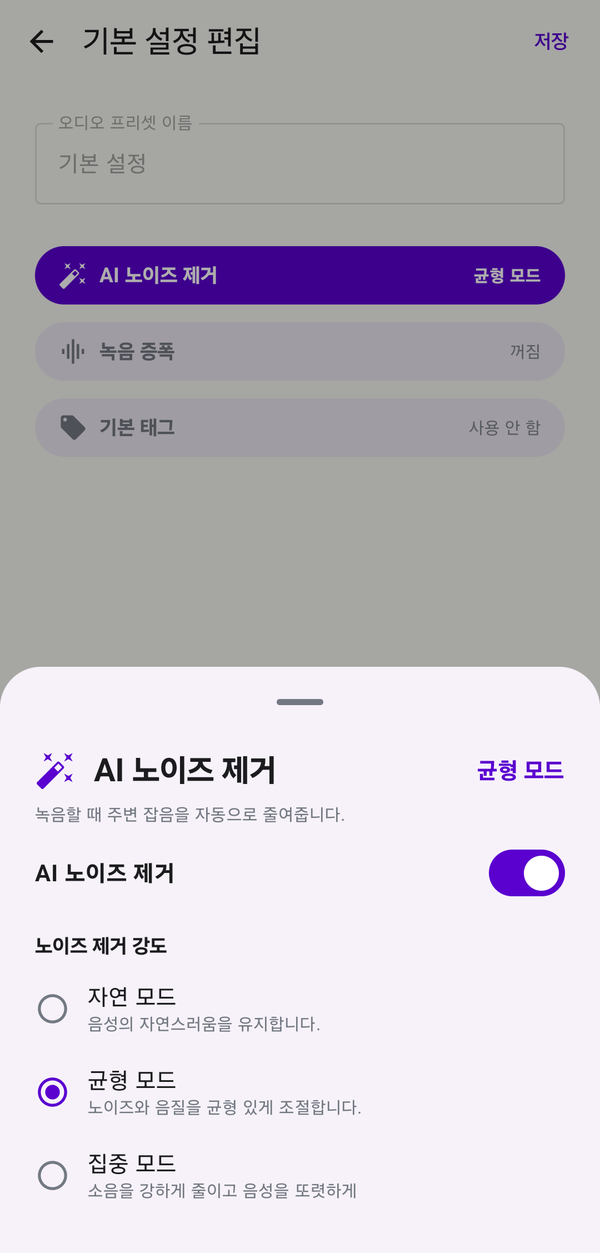
Turn on real-time noise removal
Open Settings → Recording audio options → Audio presets, then create a new preset (or edit an existing one) with noise removal included and apply it.
When it's active, an enabled chip appears just above the meta info on the Record tab so you can confirm at a glance. Your next recording is saved with noise already attenuated. Works on MP3 · WAV.
When it's active, an enabled chip appears just above the meta info on the Record tab so you can confirm at a glance. Your next recording is saved with noise already attenuated. Works on MP3 · WAV.
02
Re-process a saved file
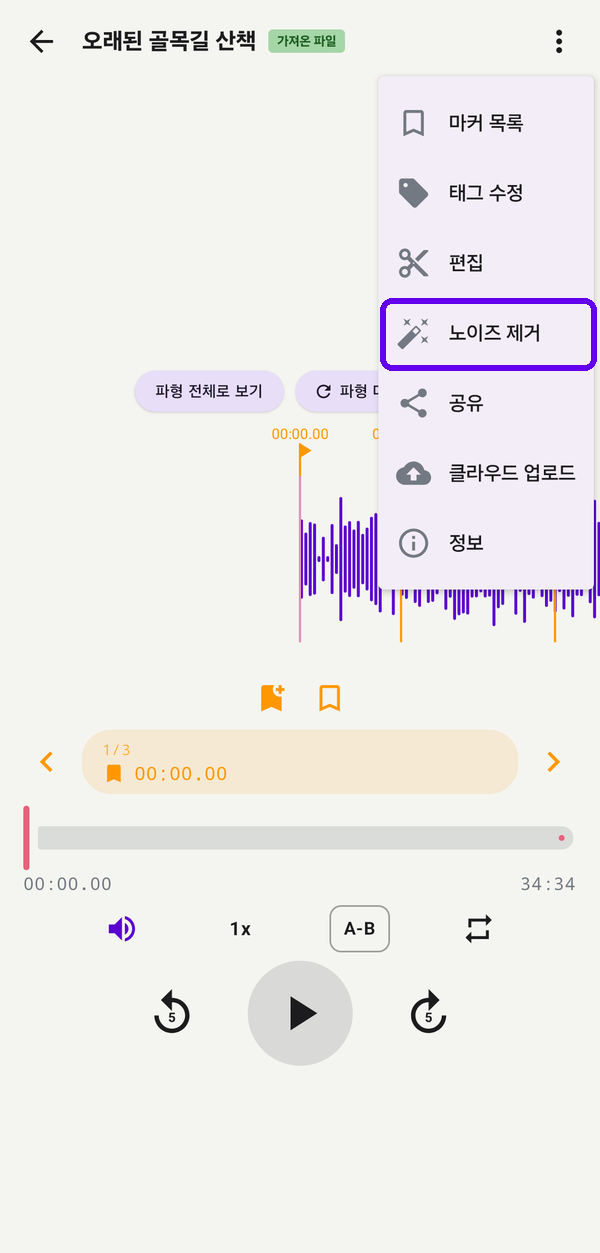
From the player, tap the noise removal button to pick a strength and run again. Progress shows in a notification, and processing keeps going in the background even if you close the app.
Specs
Options
Formats
MP3 · WAV
Strength - Natural
−12 dB · ambience preserved
Strength - Balanced
−24 dB · default
Strength - Focused
Unlimited · voice-focused
Original
Always kept as a separate file
Markers
Preserved at the same timestamps
Background
Notification progress · keeps running
Easy to start, easy to keep using.
Download and grant permission once — recording, organizing and backup keep flowing in a way designed for you.