Format and quality
that fit the moment.
Meeting · lecture · interview · daily — pick the format and preset that match, with voice front and center.
At a glanceFormat · quality · boost · playback —
Format · quality · boost · playback —
four dials, sound dialed in.
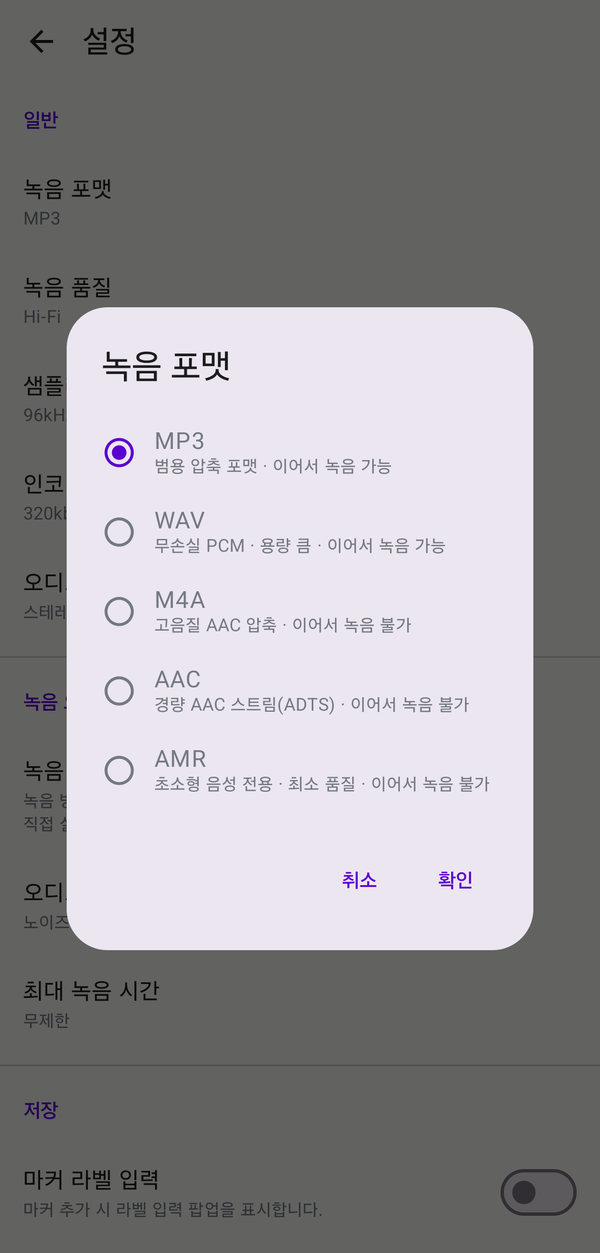
MP3 for compatibility, WAV for lossless, M4A for compact AAC, AAC for a light ADTS stream, AMR for short voice notes.
Four quality presets from Hi-Fi to Low, plus a recording boost for soft voices and a playback boost for louder listening.
Four quality presets from Hi-Fi to Low, plus a recording boost for soft voices and a playback boost for louder listening.
How to use
Four steps to clean sound.
01
Pick a format — five options
Choose the format that fits your use once in settings — every new recording follows.
- MP3 the universal audio format that opens on any device
- WAV keeps the original sound intact for editing or restoration, but the files are larger
- M4A compact, high‑quality compression that pairs well with music and video apps
- AAC a lightweight stream format when you need fast saves
- AMR ultra‑compact voice memos when minimizing storage matters
02
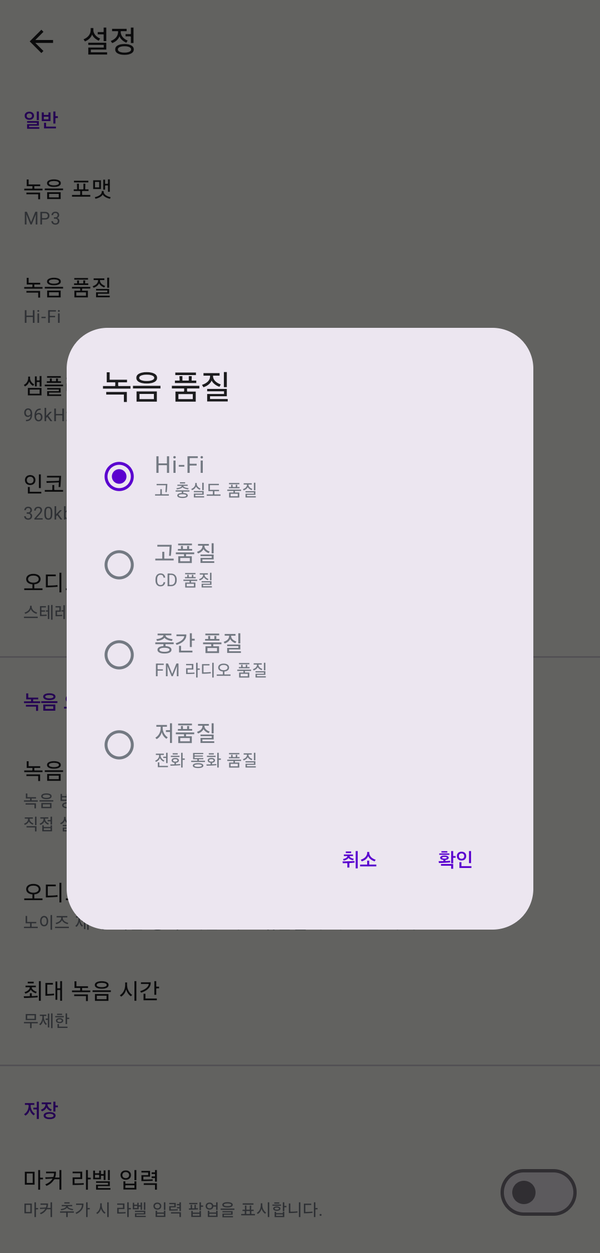
Quality preset — Hi-Fi to Low
Pick one of four presets that fits your use — every new recording follows.
- Hi-Fi 96 kHz · 320 kbps · stereo — music or high‑quality interviews where detail matters
- High 48 kHz · 192 kbps — lectures and seminars where clarity comes first
- Medium 32 kHz · 128 kbps — balanced default for meetings and everyday notes
- Low 16 kHz · 64 kbps — long sessions where storage matters most
03
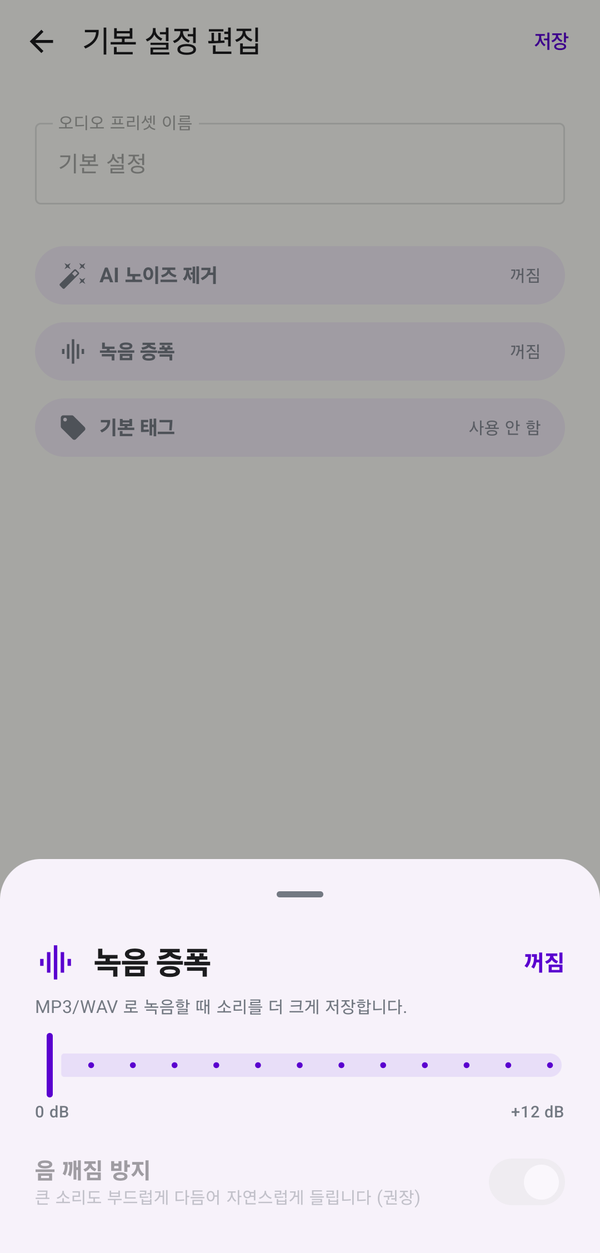
Recording boost — lift soft voices
When the mic input is weak, raise the gain by 0–12 dB.
With soft clipping on, sudden loud sounds are smoothed instead of clipping.
Save your favorite gain and clipping combo under Settings → Recording audio options → Audio presets → Create and configure preset and recall it in one tap.
With soft clipping on, sudden loud sounds are smoothed instead of clipping.
Save your favorite gain and clipping combo under Settings → Recording audio options → Audio presets → Create and configure preset and recall it in one tap.
04
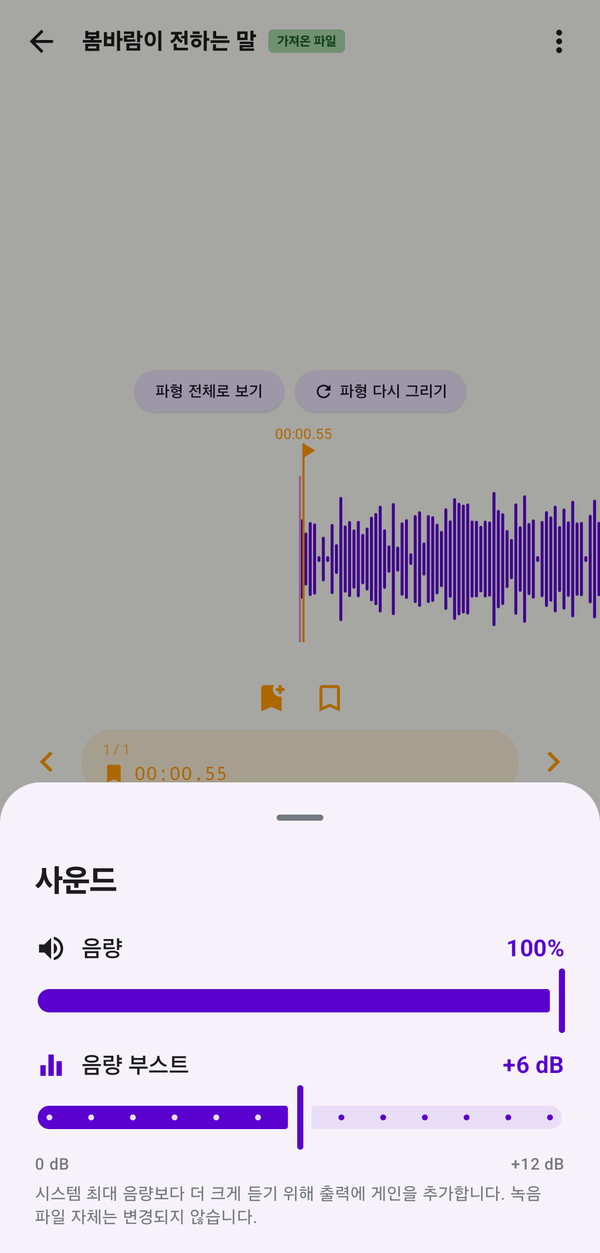
Playback boost — louder listening
Want an existing file to sound louder? Use playback boost (0–12 dB). The file itself isn't touched — only the playback volume.
Toggle it instantly from the player screen → speaker icon at the bottom-left.
Toggle it instantly from the player screen → speaker icon at the bottom-left.
Specs
Format and quality options
Formats
MP3 · WAV · M4A · AAC · AMR
Top quality
Hi-Fi · 96 kHz · 320 kbps · stereo
Default quality
Medium · 32 kHz · 128 kbps
Recording boost
0–12 dB · soft clipping (MP3·WAV)
Playback boost
0–12 dB · file unchanged
AMR limits
8 kHz · 12.2 kbps · mono fixed
Continue same file
MP3 · WAV append
Easy to start, easy to keep using.
Download and grant permission once — recording, organizing and backup keep flowing in a way designed for you.