Just the part you need,
as a new file.
See the waveform, set start and end, choose extract or remove. The result is a new file — the original stays intact for comparison.
At a glanceWhat you see is what you cut,
What you see is what you cut,
and what you save is a new file.
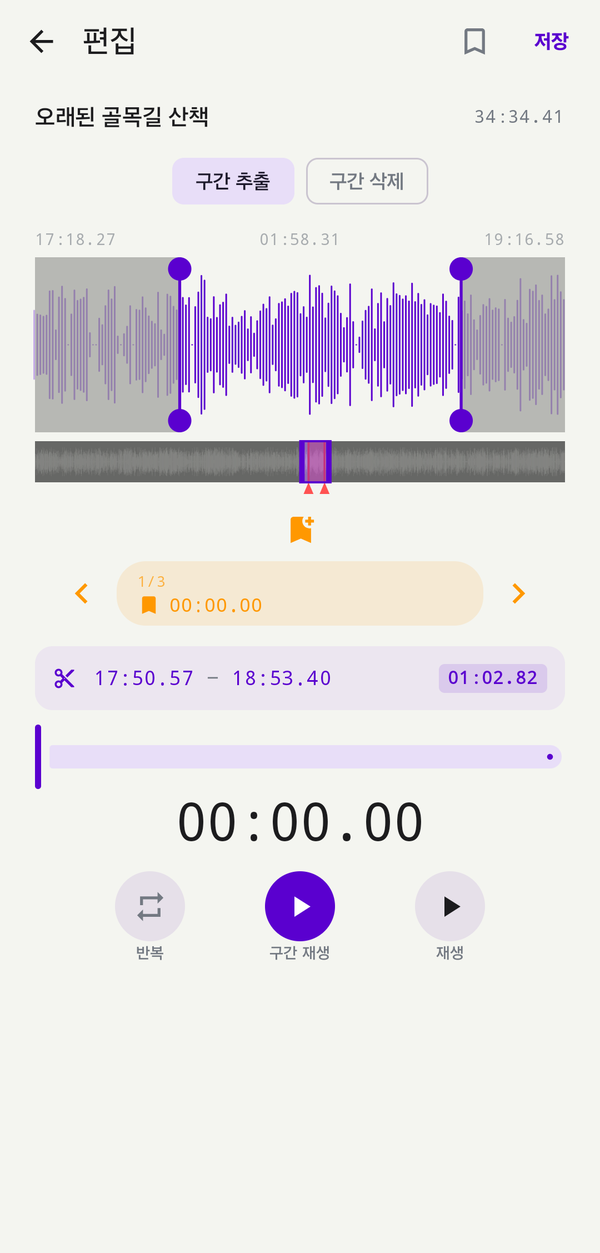
Drag the start and end handles on the waveform, or type the time directly.
Extract just the selection into a new file, or remove the selection and keep the rest. Markers inside the edited range come along, so context is kept.
Extract just the selection into a new file, or remove the selection and keep the rest. Markers inside the edited range come along, so context is kept.
How to use
Edit in this order.
01
Grab start and end on the waveform
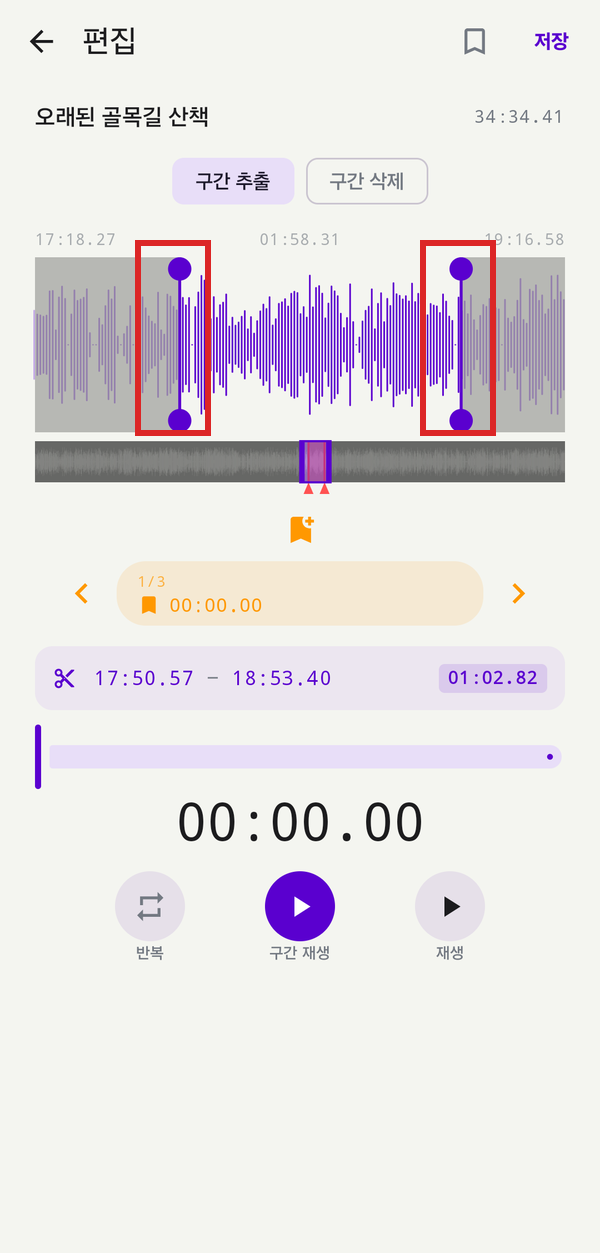
Tap the edit button on the player to open the waveform, then drag the left and right handles to mark a range. The purple area between them is what your edit will act on.
02
Dial it in with HH:MM:SS
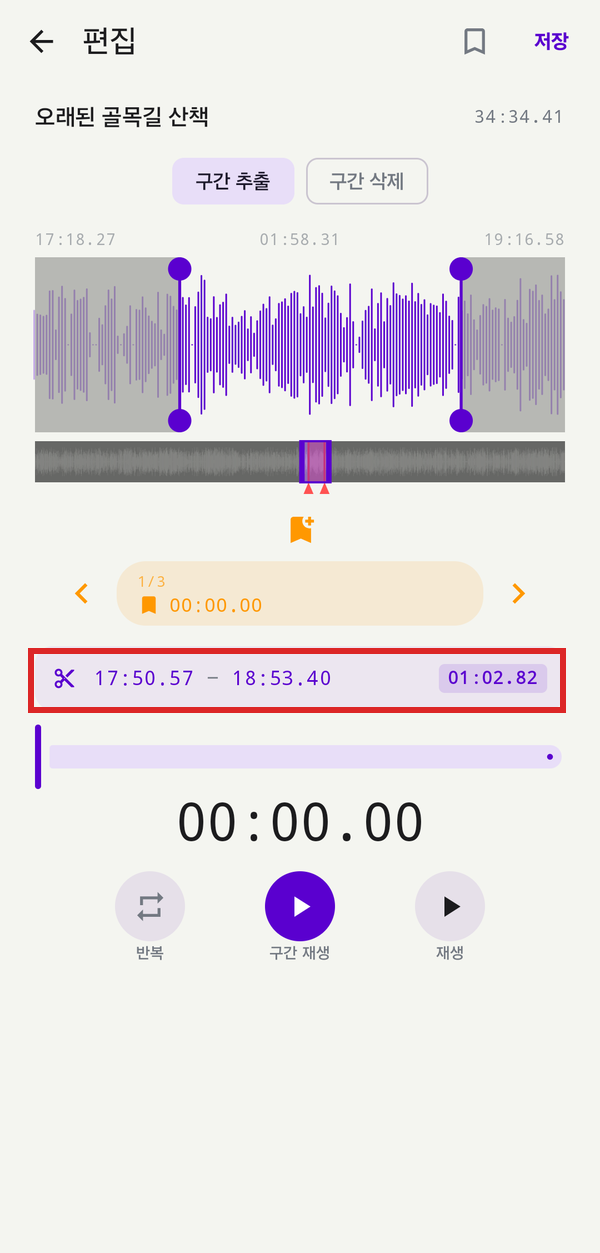
Once the handles are roughly in place, fine-tune the range from the scissor (✂) row below the waveform.
- Live readout Start — end times sit next to the scissor; the selected length shows on the right
- Tap to type Enter hours, minutes, seconds (and decimals) directly to land the handles on an exact frame
- Suggested flow Drag handles for a rough cut → type to refine → confirm with the length readout
03
Choose extract vs. remove
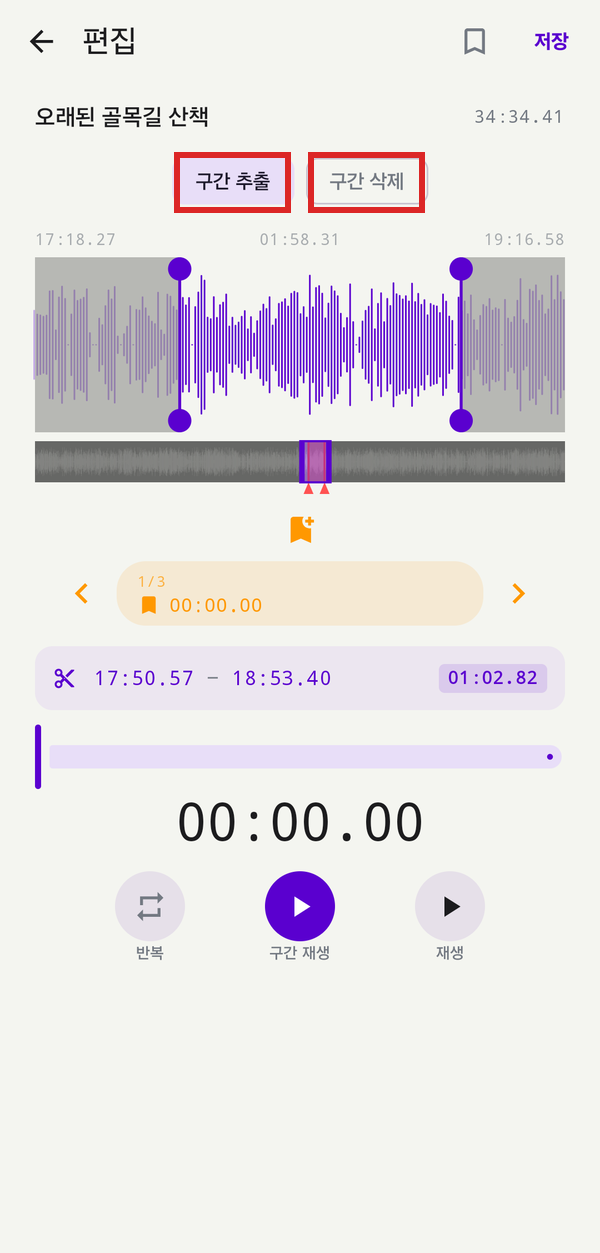
Pick one of the two toggles above the waveform. Either mode always writes a new file and leaves the original untouched.
- Extract keeps only what's between the handles — pull out the key minute of a meeting, one chapter of a lecture, or a single great answer from an interview
- Remove cuts what's between the handles and stitches the rest — strip silence, chatter, or a misspoken passage
- Switch any time flip the toggle after the fact to compare both results before saving
04
Save as a new file — original kept
Saving writes a new file alongside the original. If the result isn't right, the original is still there to edit again.
- Original preserved Every edit lands in a new file — the source stays intact for comparison or re-editing
- Markers carry over Markers inside the edited range follow into the new file, keeping context and jump points
- Bookmarks: keep or skip Choose at save time whether to bring bookmarks into the new file — turn off for a clean start, leave on to keep your tags
Specs
Editing options
Modes
Extract range · remove range
Selection
Drag handles · type HH:MM:SS
Markers
Preserved within the edited range
Save
New file (original kept intact)
Formats
MP3 · WAV · M4A
Easy to start, easy to keep using.
Download and grant permission once — recording, organizing and backup keep flowing in a way designed for you.